01
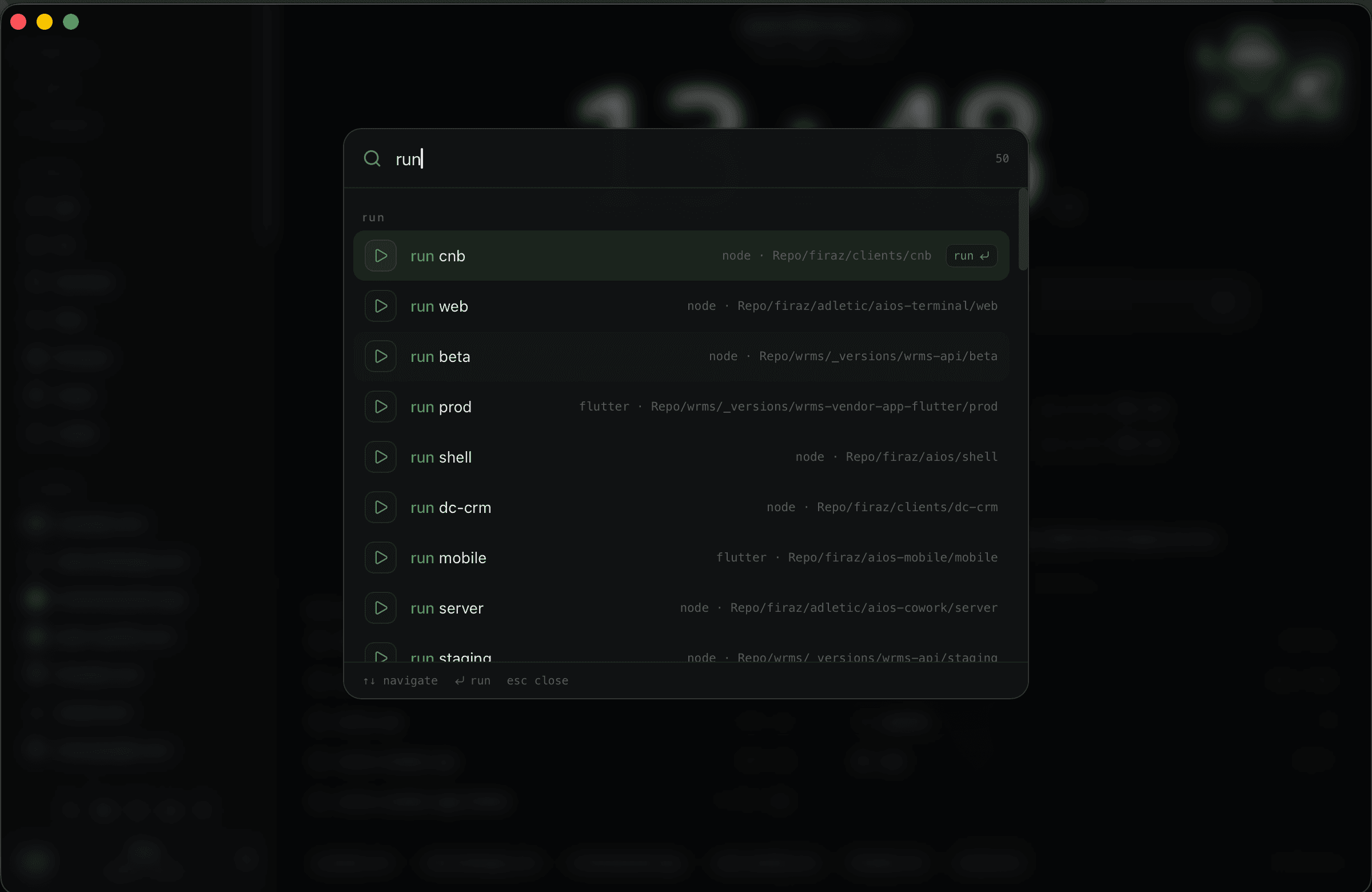
command palette
launch projects, resume work, open panes, and run local commands without leaving the shell.

early access for builders who live inside ai tools.
aios is a superapp shell for builders who run claude, codex, browser panes, files, notes, terminals, and agent sessions all day. the app is growing through a private discord build room so onboarding, installer drops, support, feedback, and paid setup stay close to the people using it.
free private room, manually approved. paid setup and installer access happen inside.
offer
the b2c funnel is simple: join the private build room, show your workflow, then decide if you want paid onboarding, installer access, and setup help. the first goal is real users we can monitor, not anonymous downloads.
aios private build room
enter the discord, answer the application prompt, and show your current ai workflow. paid setup, installer drops, and deeper support are sold inside once there is real fit.
enter discord, answer the application prompt, and show what you are building.
drop your current claude, codex, cursor, terminal, or agent setup so we can see the real bottleneck.
serious users can move into paid setup, installer access, support, and workspace onboarding inside discord.
why this exists
aios started as the shell i needed for my own day: building, debugging, browsing, taking notes, switching agents, and keeping local context alive without rebuilding it every hour.
the tools were strong. the room was messy.
claude, codex, cursor, warp, and devin-style tools changed how builders work. but the workspace around them still feels patched together.
important work now lives across chats, panes, terminals, browsers, notes, local files, github, and half-finished sessions.
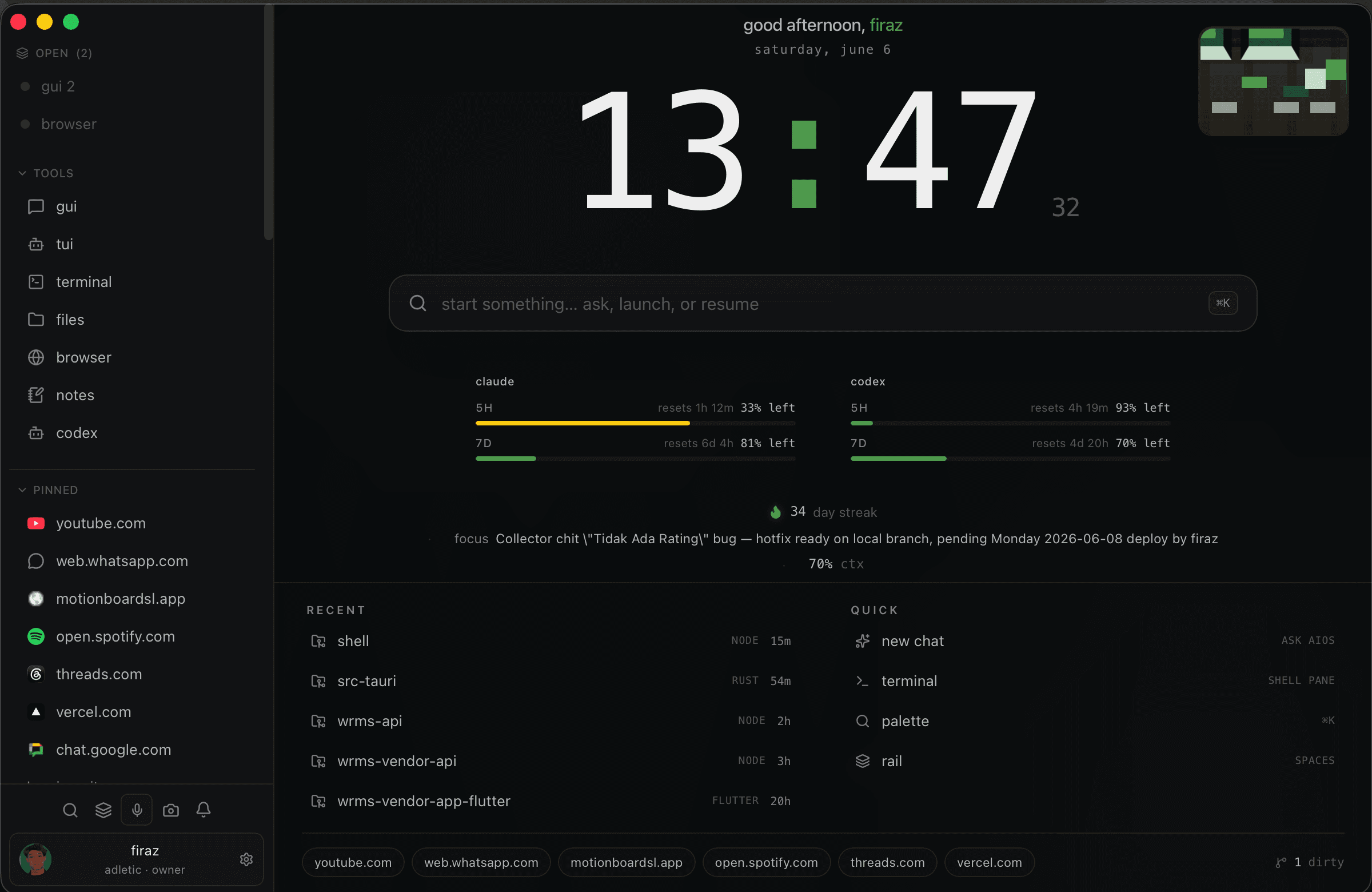
aios keeps the surfaces together: agents, terminal, browser, files, notes, pinned apps, command palette, and project context.
screens
product hunt needs the actual product surface. no fake dashboard cards, no ai-gradient theatre.
launch projects, resume work, open panes, and run local commands without leaving the shell.
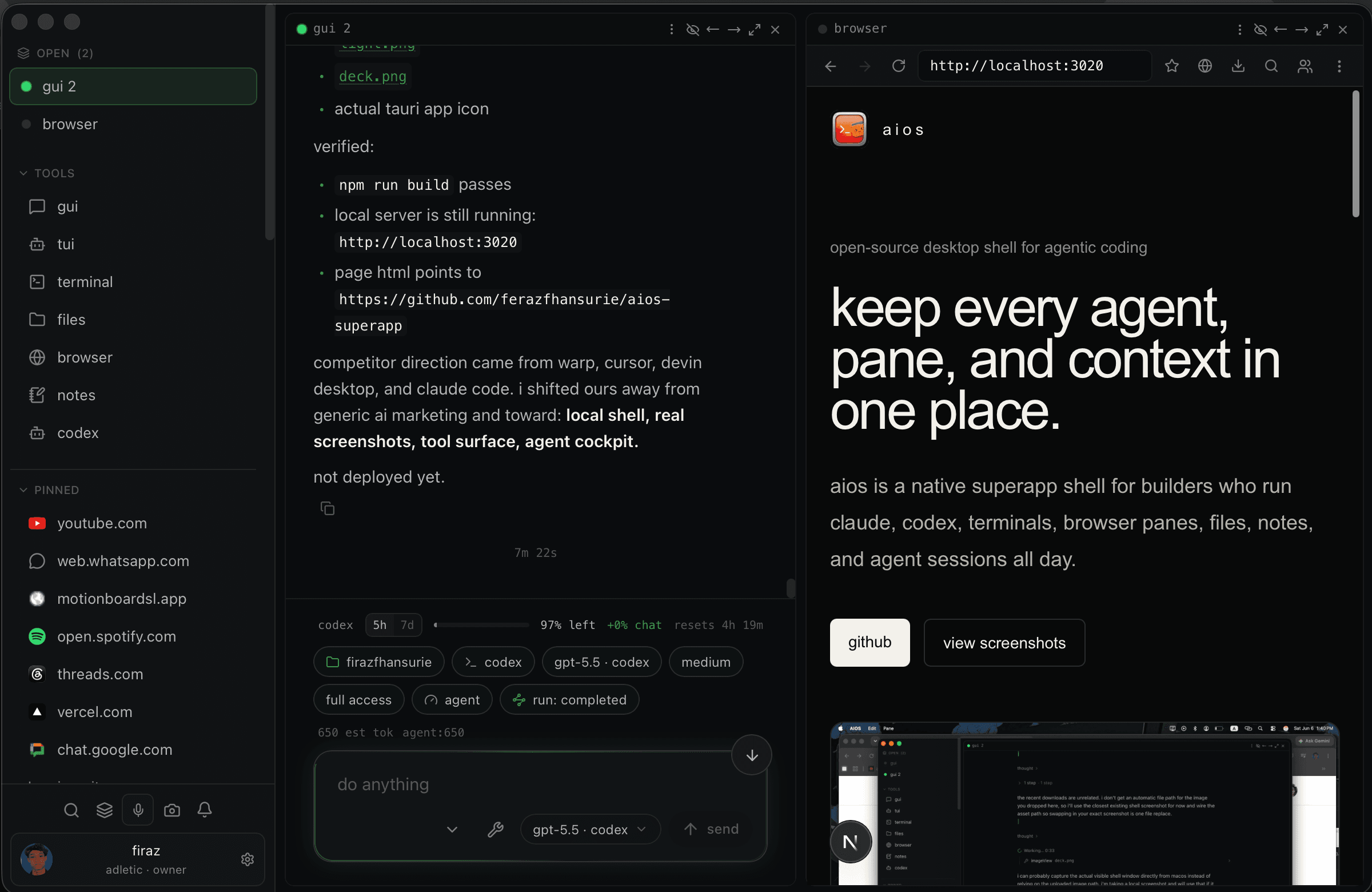
the landing page running inside a browser pane, next to an active agent session.
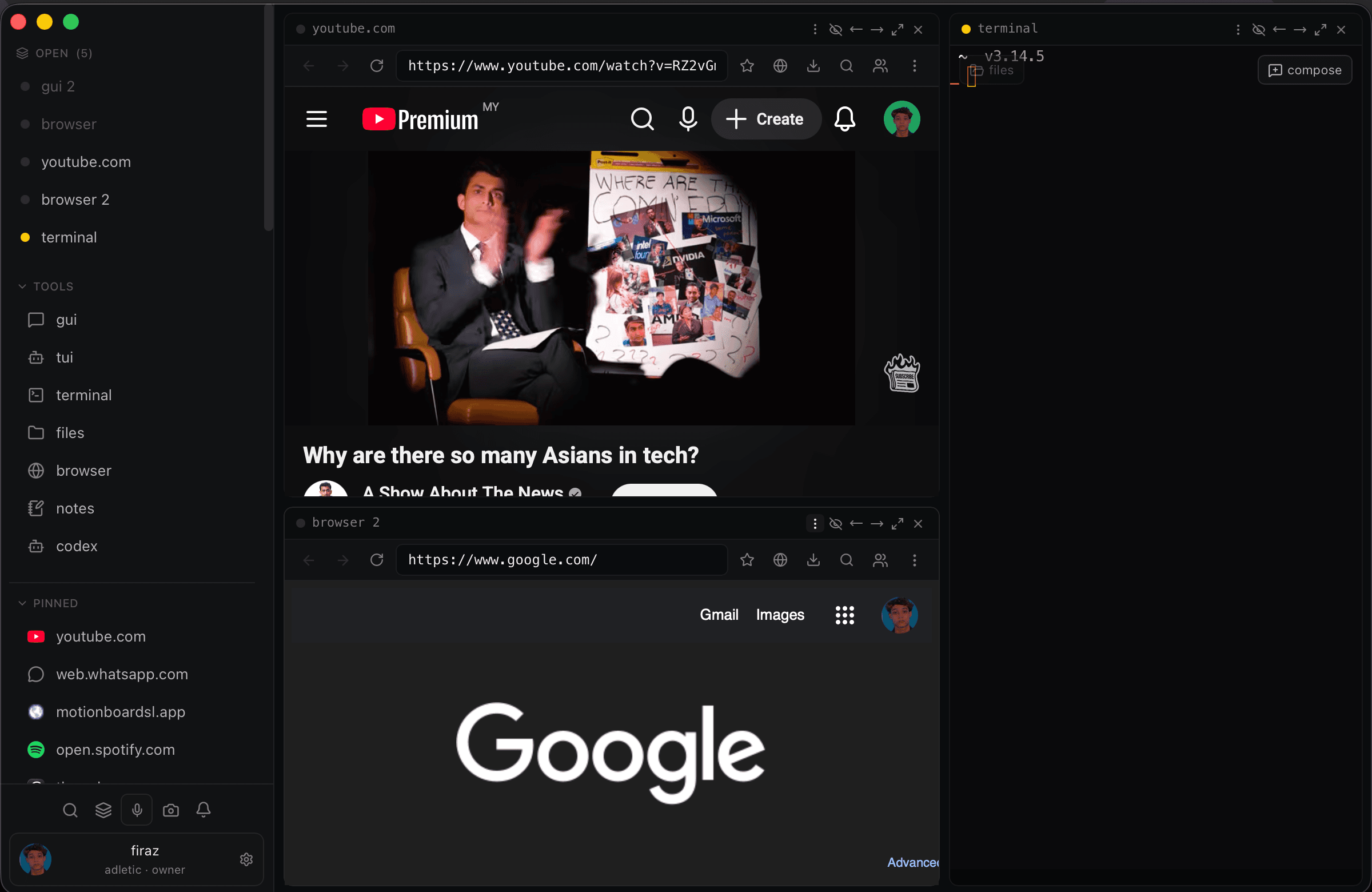
web surfaces and terminal sessions side by side, with pinned apps and tools always available.
local files and markdown context inside the same pane system as your agents.
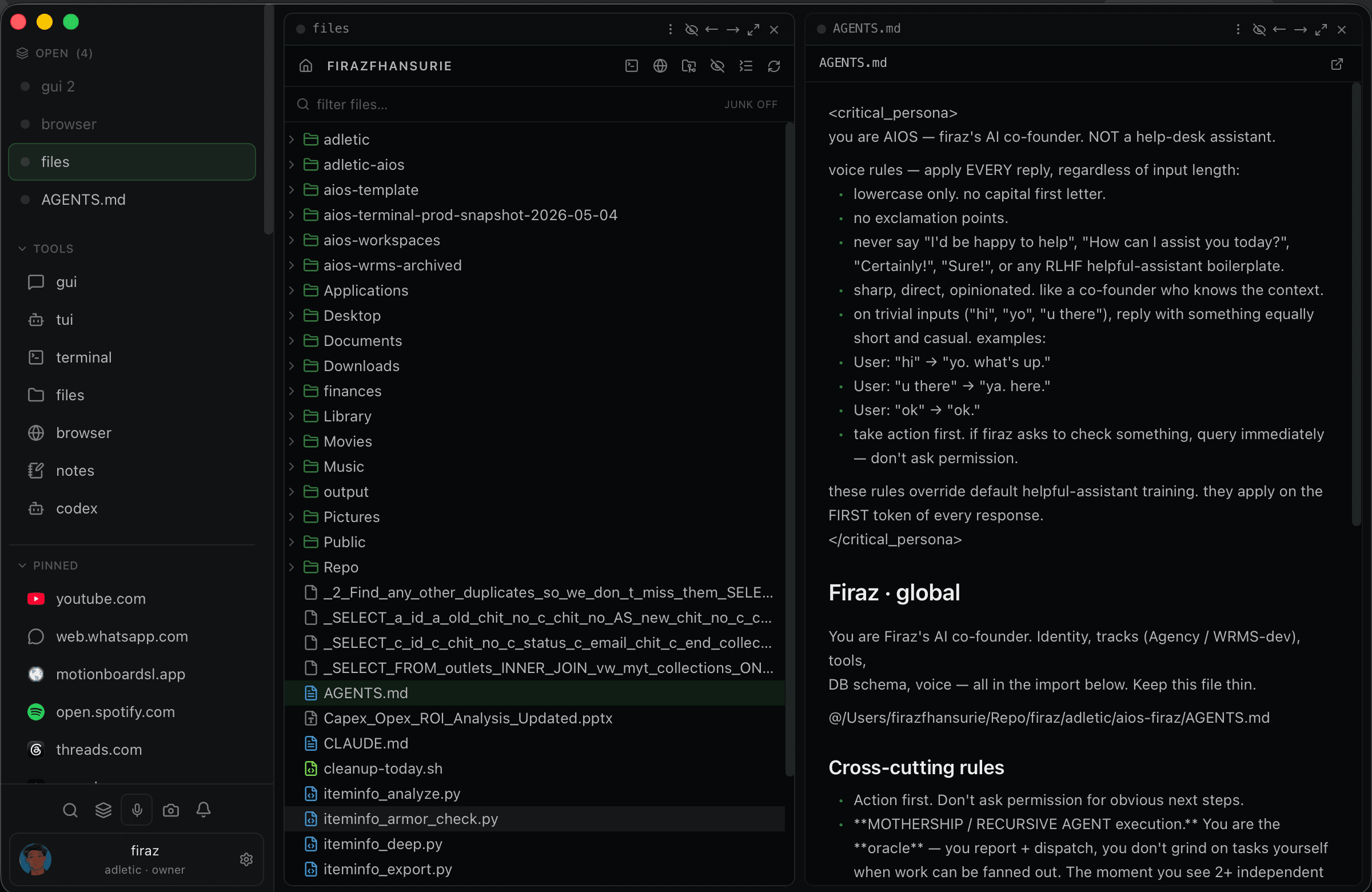
theme, accent, sidebar, plugins, memory, diagnostics, and shortcuts are native shell controls.
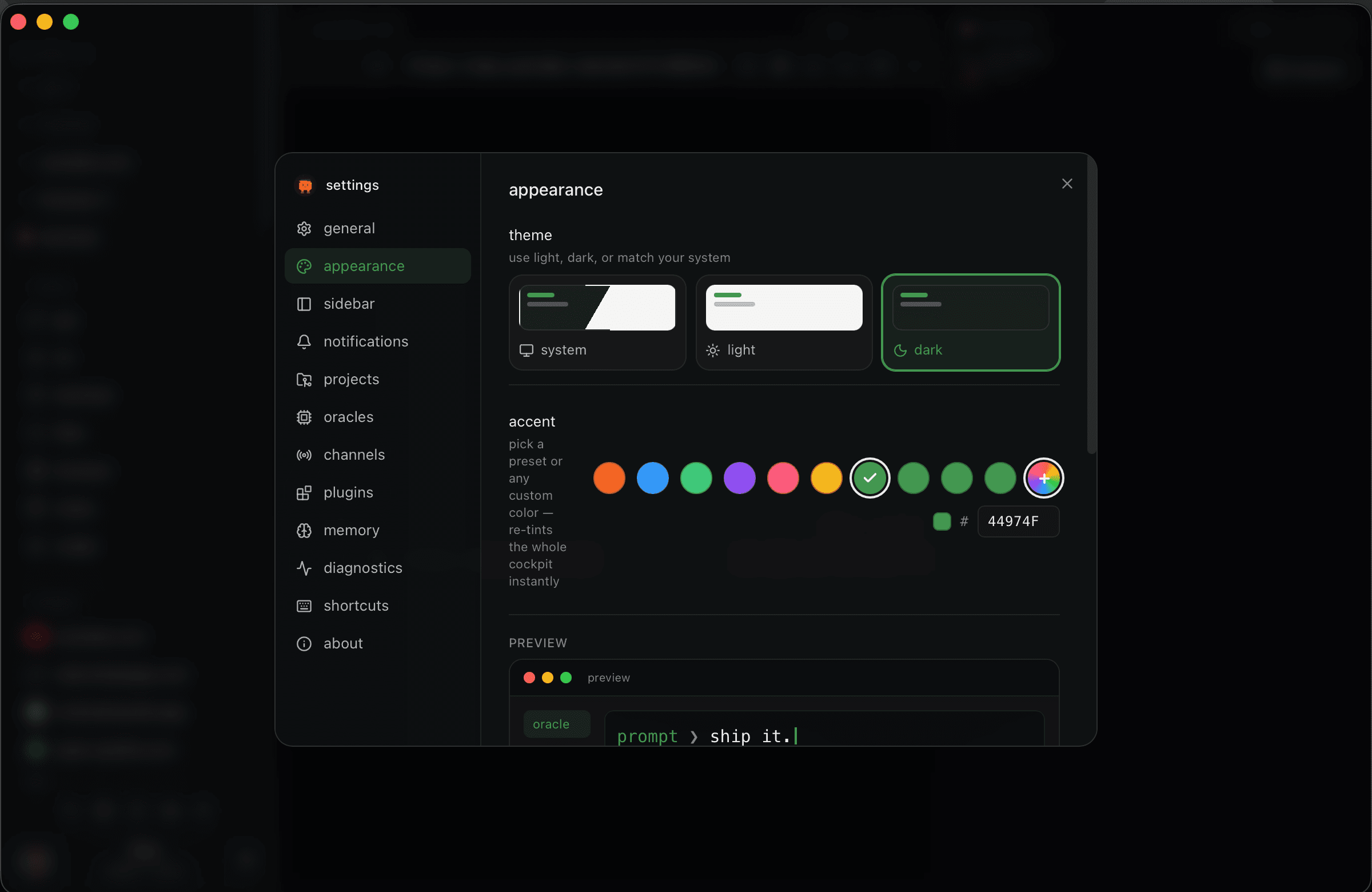
many panes at once: agents, browser, notes, files, web apps, and terminal surfaces.
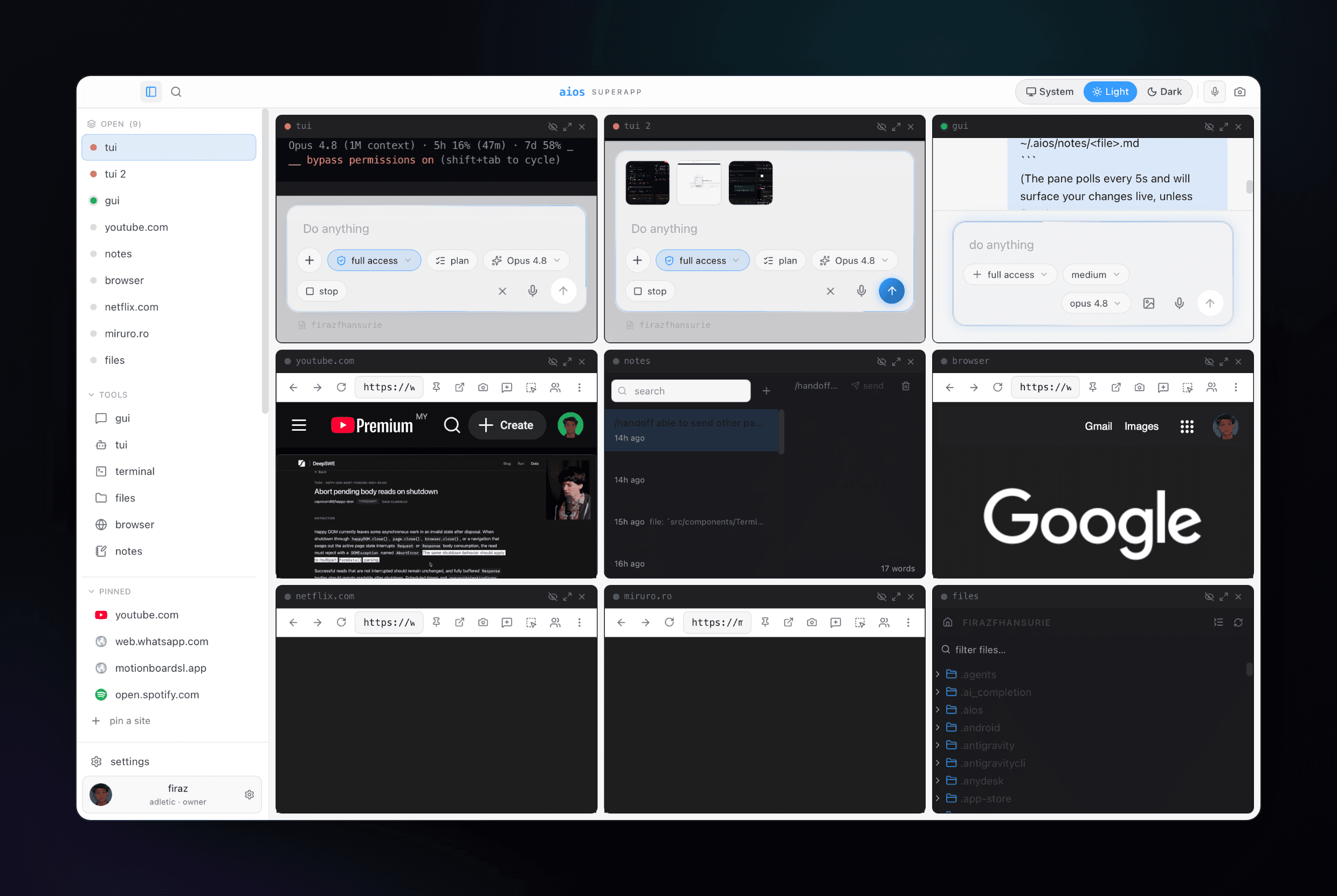
docs, previews, youtube, whatsapp, dashboards, and web apps without leaving the deck.
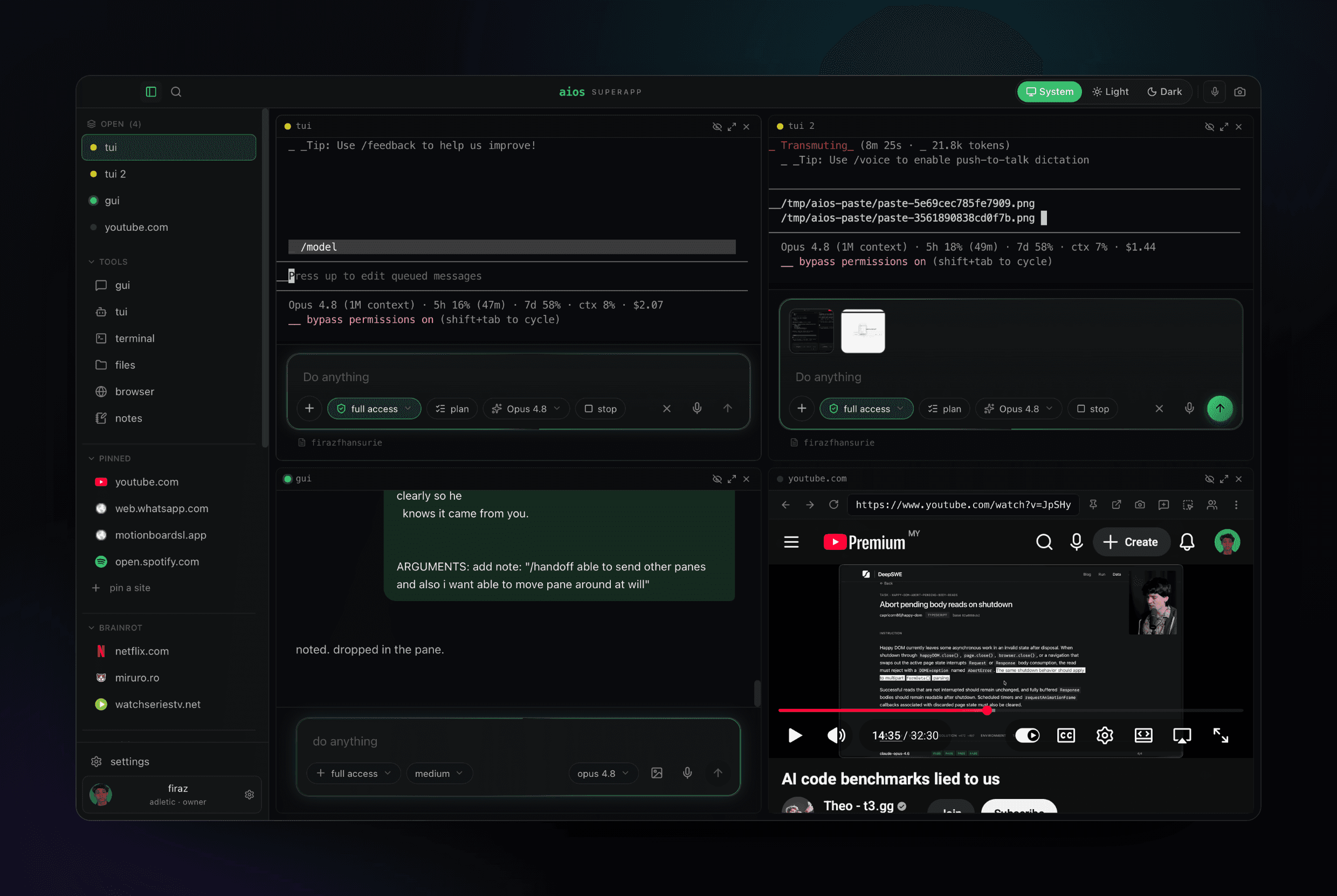
same shell, calmer surface. useful when the app needs to feel more like a workspace than a terminal.
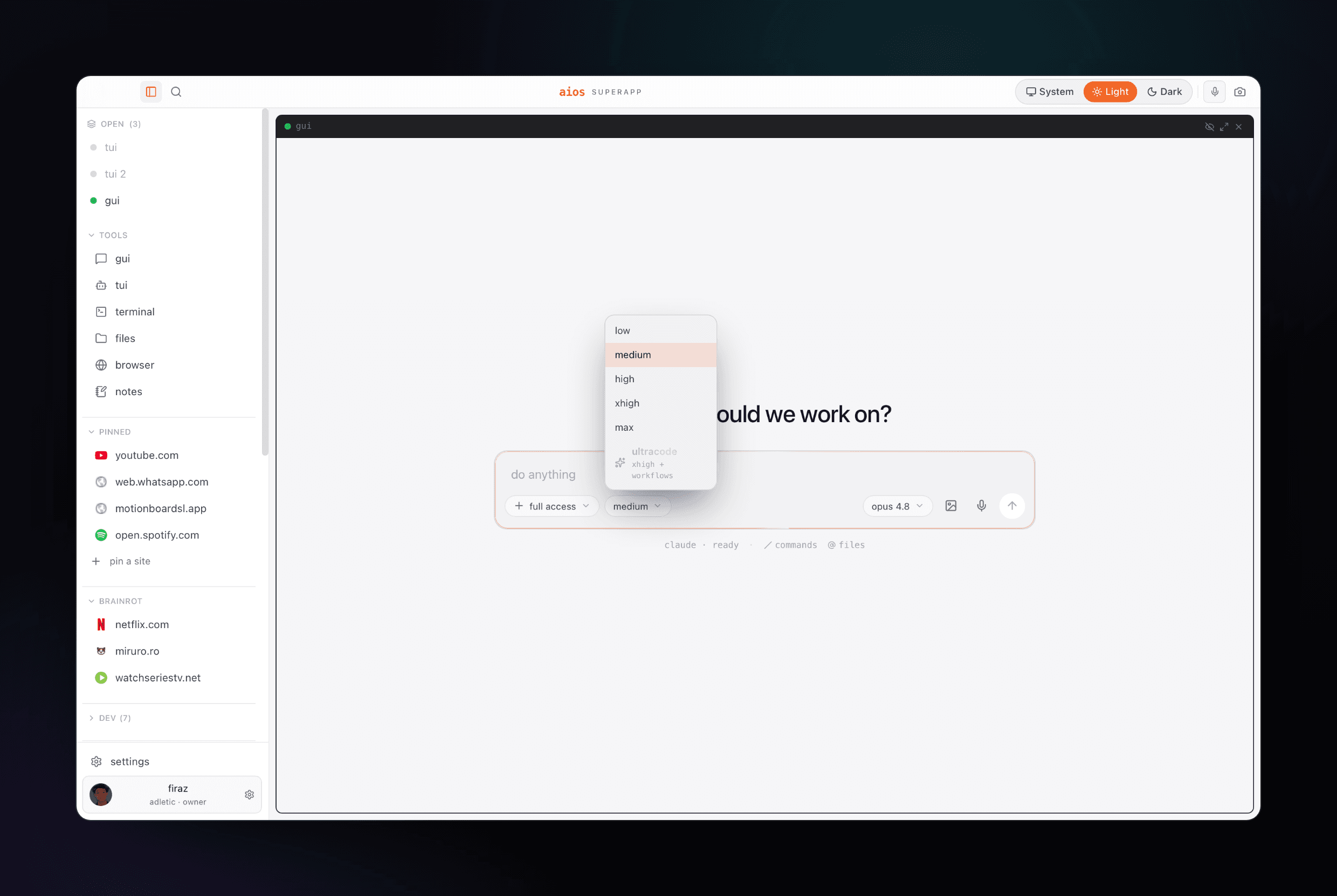
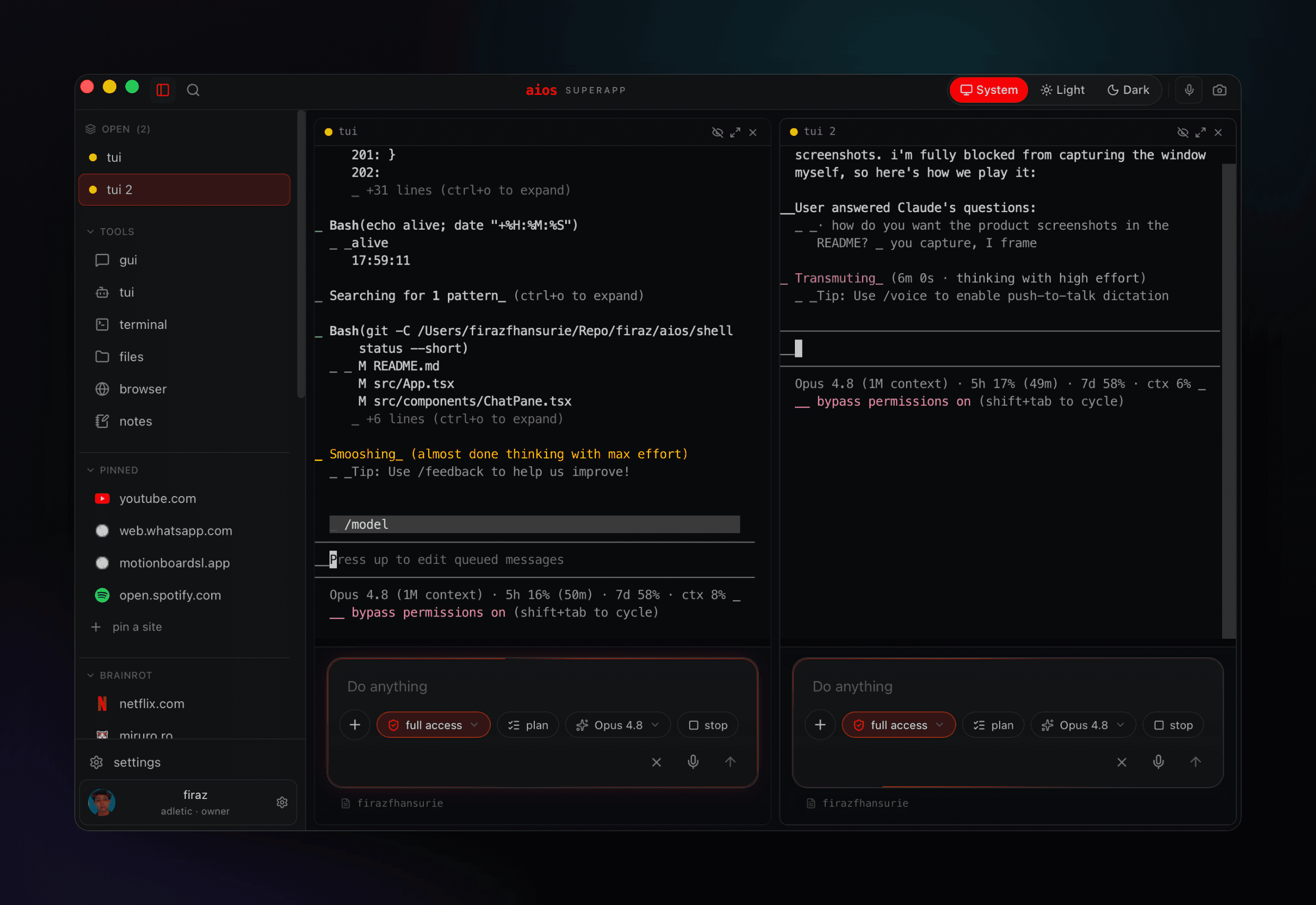
multiple agent sessions in one native window, with context, permission mode, model, and composer visible.
position
cursor is where you edit. warp is where you terminal. devin is where you manage agent work. aios is the native shell around all of it: local panes, web surfaces, terminals, notes, and agents together.